System maintenance mode#
Dell Data Processing Engine (DDPE) supports system maintenance mode. System maintenance mode allows administrators to safely upgrade Spark by preventing new job submissions.
Note
Activating and deactivating system maintenance mode requires the
Spark system MANAGE privilege.
In the UI#
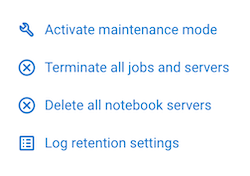
You can activate system maintenance mode in the job submission UI by opening the options menu and selecting Activate maintenance mode:
Note
You cannot submit new jobs while maintenance mode is active.
You can deactivate system maintenance mode by selecting Deactivate maintenance mode from the same menu.
In the CLI#
Use the system-maintenance admin commands to manage maintenance mode from the CLI.
For example, to:
check the current maintenance mode status:
./dell-data-processing-engine admin system-maintenance get
activate maintenance mode:
./dell-data-processing-engine admin system-maintenance enable
deactivate maintenance mode:
./dell-data-processing-engine admin system-maintenance disable
view the history of past maintenance mode activations:
./dell-data-processing-engine admin system-maintenance history